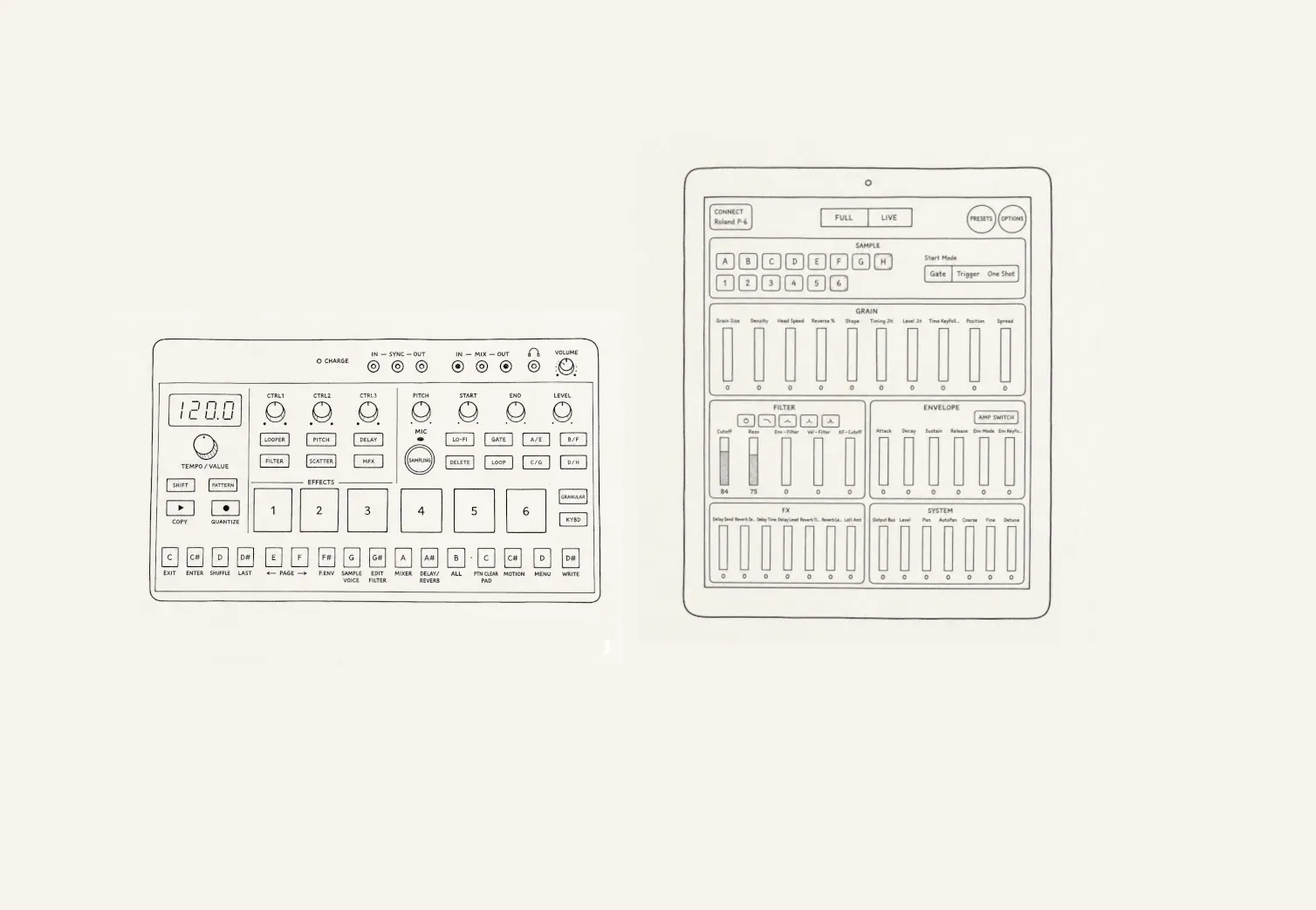
GrainPilot
Unlock the full potential of your Roland P-6 with a fast, tactile, and distraction-free control experience.
GrainPilot tansforms your Android device into a dedicated hardware-like controller — designed for musicians who want speed, clarity, and total control.
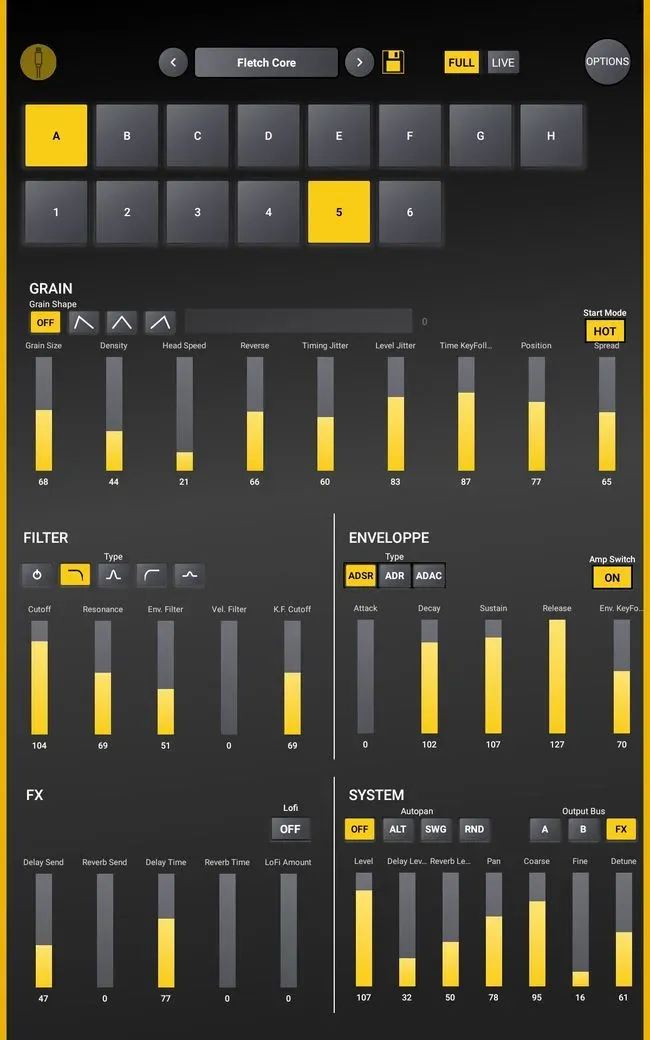
Total Control at Your Fingertips
Real-Time Parameter Control
Tweak your sound instantly with smooth, precise controls.
Advanced Granular Shaping
Dive deep into your sound design with direct access to granular parameters.
Clean & Focused Interface
Everything you need, right where you expect it. No menu diving.
Hardware Feel, Touch Flexibility
Get the best of both worlds: tactile control with modern UI precision.
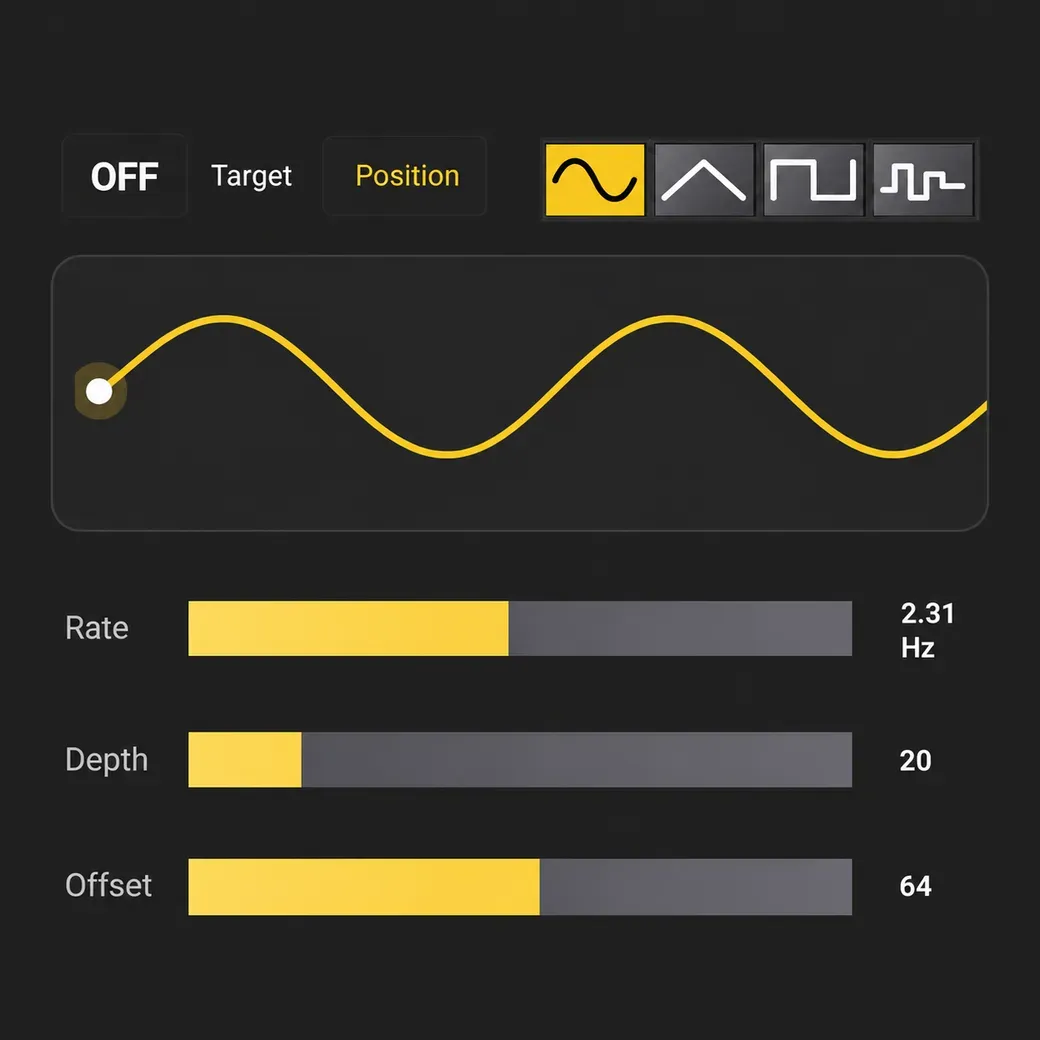
Extra Motion, Deeper Texture
Additional LFO bringing even more movement and expression to your sounds.
Create evolving textures, rhythmic modulation, subtle motion, or chaotic granular effects with real-time control and seamless integration into the existing workflow.
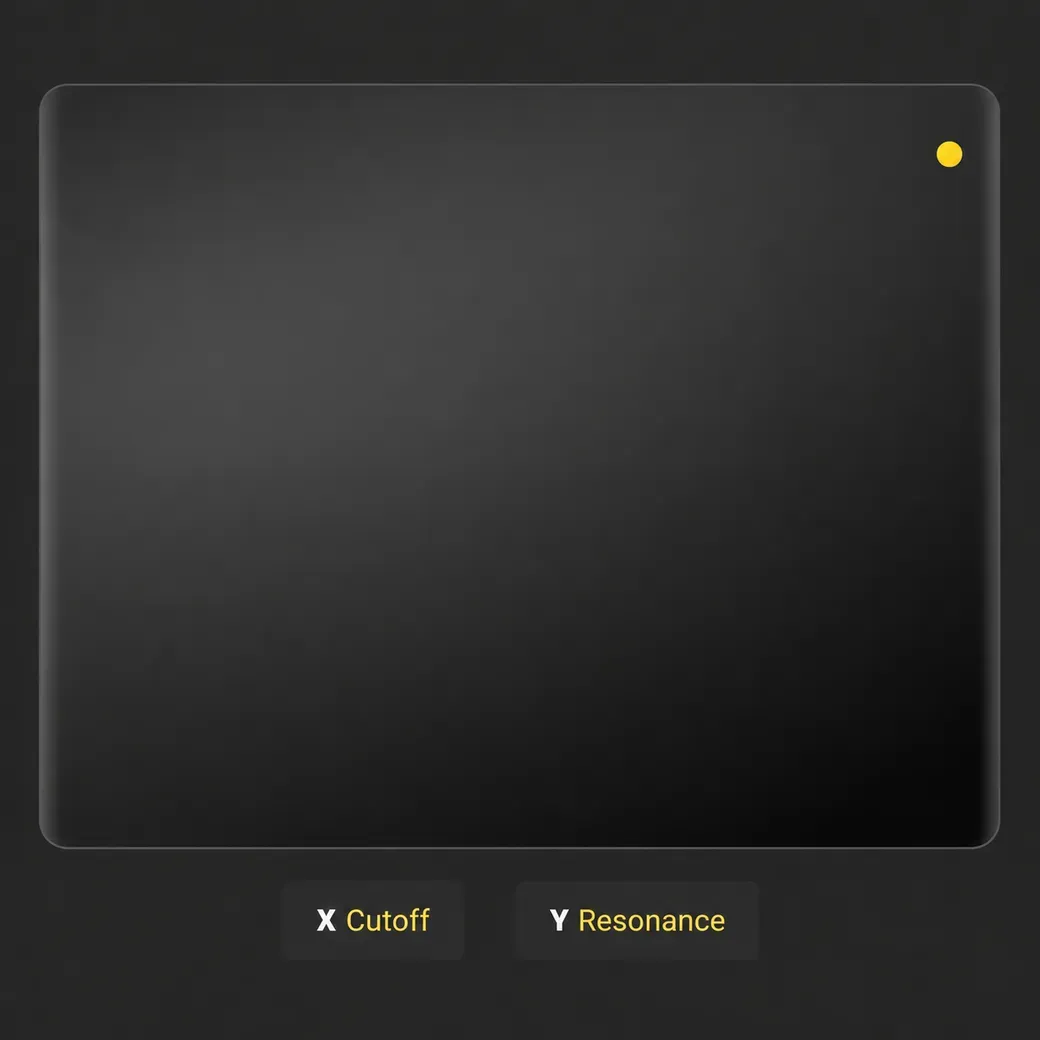
Intuitive XY Control
The XY Controller adds a fast and expressive way to shape your sound in real time. Choose from a range of assignable parameters and create modulations on the fly.
Control two parameters simultaneously with smooth, tactile movements to create evolving textures, dynamic modulation, and playful performance effects. Perfect for live experimentation and granular sound design.
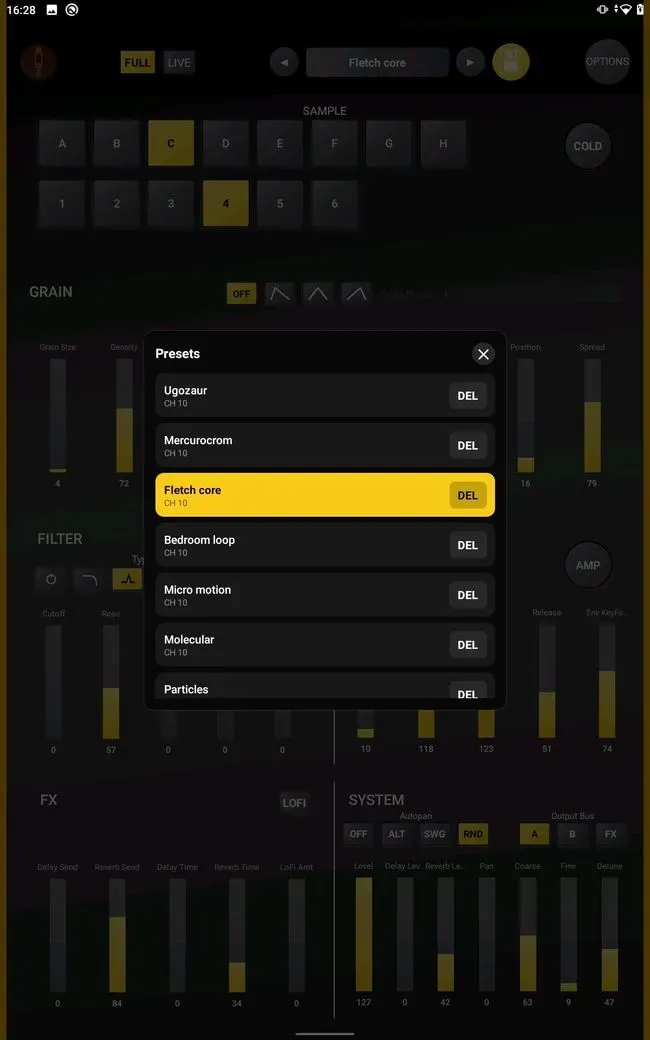
Preset Management
Save your favorite settings instantly and build your own sound library with the integrated preset system.
Create, store, rename, and recall presets in seconds — perfect for live performance, sound design sessions, or fast workflow switching.
GrainPilot lets you capture the full state of your setup, so your granular textures, filter settings, modulation parameters, and FX configurations are always ready when inspiration strikes.
No complicated menus.
No lost settings.
Just fast and intuitive preset management designed for creativity.
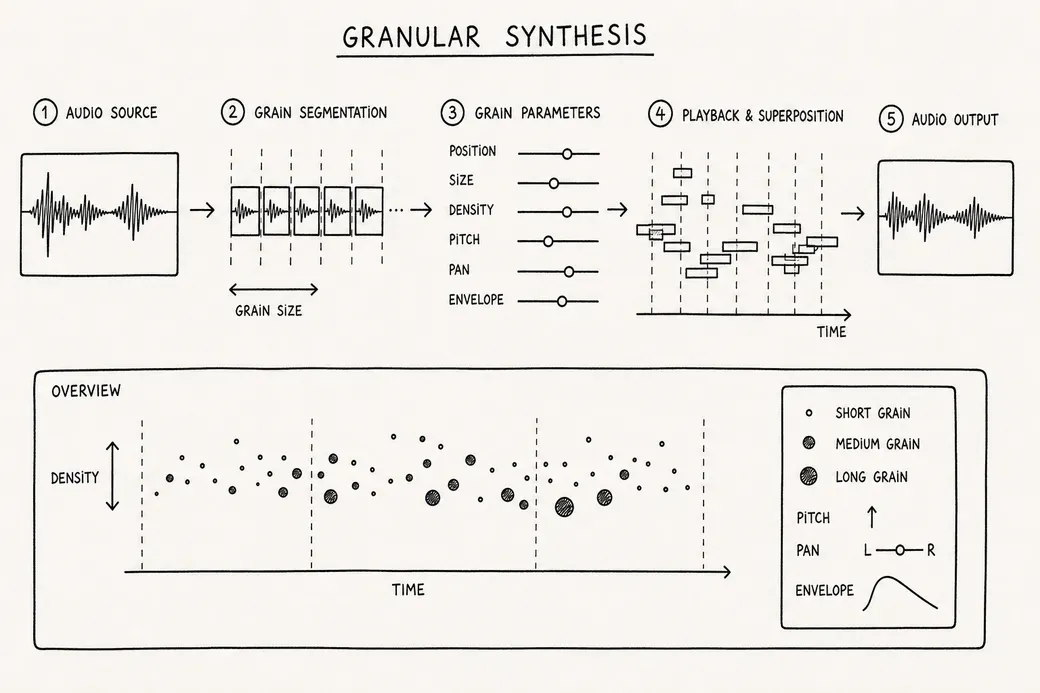
Granular Sound Module Integration
Unlock the full potential of your Roland P-6 with a fast, tactile, and distraction-free control experience.
GrainPilot transforms your Android device into a dedicated hardware-like controller — designed for musicians who want speed, clarity, and total control.
Integrate and control granular sound modules on the Roland P-6 sampler with precision and ease using our specialized software solutions.
Custom Android App Development
Wireless is convenient.
USB is reliable.
No dropouts. No lag. No surprises.
Just a direct connection between you and your instrument.
Optimized for performance, stability, and responsiveness. Your device becomes a true extension of your sampler.
Available on Google Play
https://play.google.com/store/apps/details?id=com.mittery.grainpilot
Disclaimer
This application is an independent project and is not affiliated with or endorsed by Roland Corporation.
Roland and P-6 are trademarks of Roland Corporation.
Frequently Asked Questions
Can the Mittery GrainPilot app be used for live performances?
Absolutely, GrainPilot is optimized to be used in live performance settings, allowing real-time control over the granular module of the Roland P6 sampler- depends on your device capacity.
Do I need technical knowledge to use the GrainPilot ?
Basic understanding of the Roland P6 sampler and music sampling is helpful, but the GrainPilot is designed with a user-friendly interface to assist users of all skill levels.
How to control the Roland P-6 to Your Android Tablet
Using the app with the Roland P-6 is straightforward and requires only a USB connection.
What You'll Need
A Roland P-6 sampler
An Android tablet with USB OTG support
A compatible USB cable
(Optional) A powered USB hub if you want to connect additional devices
Connection Steps
Turn on your Roland P-6.
Connect the P-6 to your Android tablet using a USB cable.
If your tablet uses USB-C, connect the cable directly or through a compatible USB hub.
Launch the app.
When the sampler is connected, Android may display different USB connection modes depending on the device manufacturer. Simply grant USB access when prompted and launch GrainPilot.
Select the P-6 MIDI device in GrainPilot in "Options", then set the Granular MIDI Channel to match the value configured on your P-6. (default is 4). If you don't know, you can find it by following these steps on your Roland P-6:
Open the menu by holding SHIFT and pressing MENU.
Navigate to the Granular MIDI Channel setting using the VALUE encoder(S.CH).
Press ENTER to see the value.
The P-6 is not detected
Verify that your tablet supports USB OTG.
Disconnect and reconnect the USB cable.
Restart the app after connecting the device.
MIDI controls do not respond
Make sure the P-6 is powered on.
Check that no other application is currently using the MIDI connection.
Try another USB cable if available.
Check granular midi channel used.
Using a USB Hub
The app is compatible with most USB hubs. This can be useful if you want to connect:
The Roland P-6
Audio interfaces
Charging power (depending on your hub)
Once connected, all parameter changes made in the app are transmitted directly to the P-6 in real time.
Are there any plans to add new features to GrainPilot ?
We continuously work on improving the GrainPilot and regularly release updates with new features and enhancements based on user feedback and technological advancements.